
Platform Overview
Understand what Agents does and what it can do for your sales processes
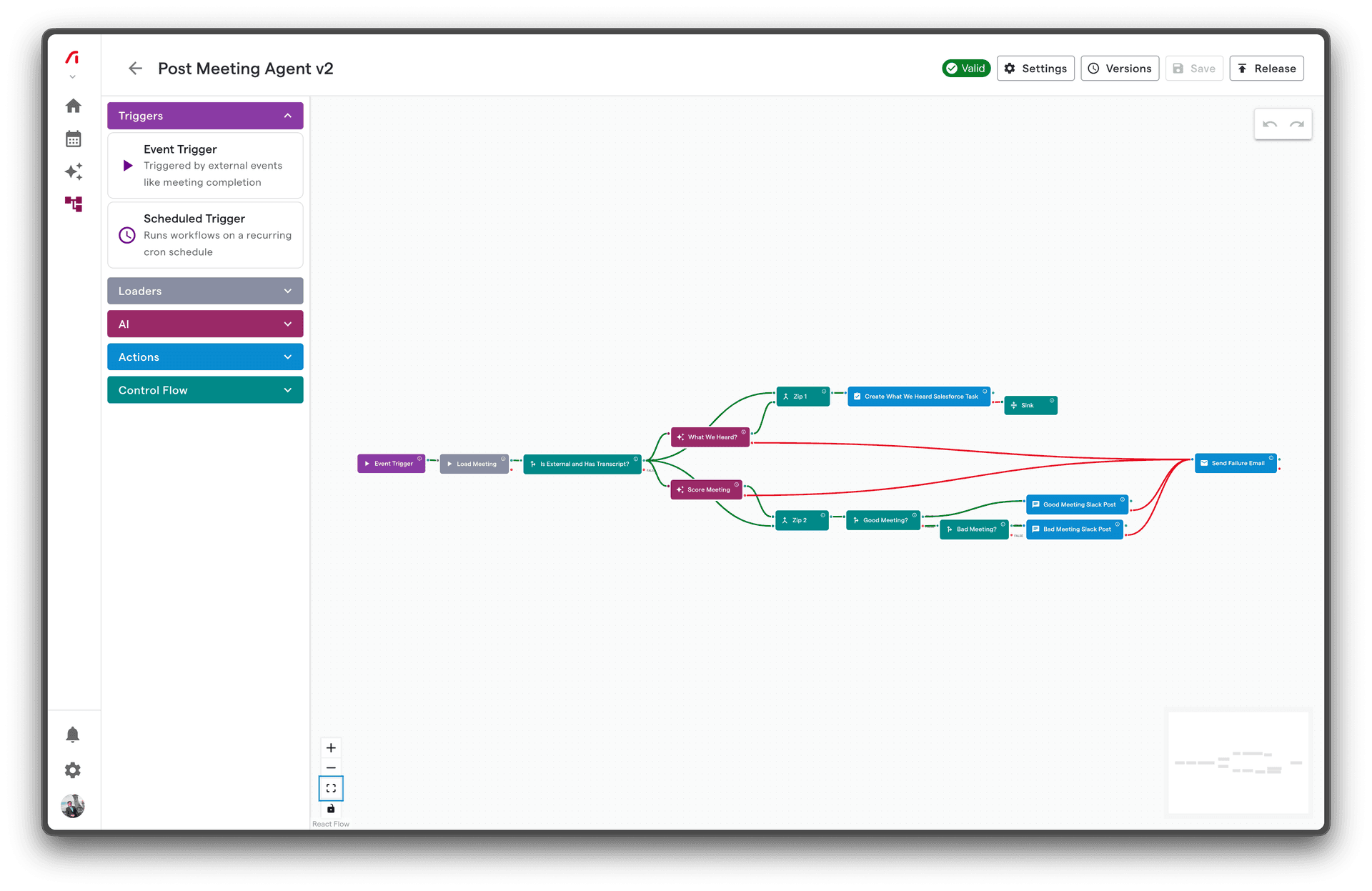
Agents is a visual workflow automation feature within Decision Site, designed specifically for sales teams. It lets you create AI-powered automations that respond to events in your sales process, eliminating manual work and ensuring consistent execution.
What is Agents?
Agents is a no-code workflow builder within Decision Site that connects your meetings, CRM data, and communication tools into automated processes. Instead of manually updating your CRM after every meeting or sending follow-up emails, you define the logic once and let Agents handle it automatically.
Key Capabilities
| Capability | Description |
|---|---|
| Event-Driven Automation | Workflows trigger automatically when meetings end, at scheduled times, or on-demand |
| AI Processing | Built-in AI nodes analyze meeting transcripts, generate summaries, and create content |
| CRM Integration | Native connections to HubSpot and Salesforce for reading and writing data |
| Multi-Channel Communication | Send messages via Slack, email, or SMS based on workflow logic |
| Visual Design | Drag-and-drop canvas for building workflows without writing code |
| Reliable Execution | Automatic retries, error handling, and execution monitoring |
How It Fits in Your Stack
┌─────────────────────────────────────────────────────────────┐
│                   Decision Site Platform                    │
├─────────────────────────────────────────────────────────────┤
│                                                             │
│  ┌──────────┐    ┌──────────────────┐    ┌──────────────┐   │
│  │ Calendar │───→│      Agents      │───→│   HubSpot    │   │
│  │ Meetings │    │                  │    │  Salesforce  │   │
│  └──────────┘    │  ┌────────────┐  │    └──────────────┘   │
│                  │  │ AI Engine  │  │                       │
│  ┌──────────┐    │  └────────────┘  │    ┌──────────────┐   │
│  │ Decision │───→│                  │───→│    Slack     │   │
│  │  Sites   │    │  ┌────────────┐  │    │    Email     │   │
│  └──────────┘    │  │  Workflow  │  │    │    SMS       │   │
│                  │  │   Engine   │  │    └──────────────┘   │
│                  │  └────────────┘  │                       │
│                  └──────────────────┘                       │
│                                                             │
└─────────────────────────────────────────────────────────────┘
Agents sits between your data sources (meetings, Decision Sites) and your action channels (Slack, email, tasks). It processes events, applies AI analysis, and takes actions based on your defined logic.
Common Use Cases
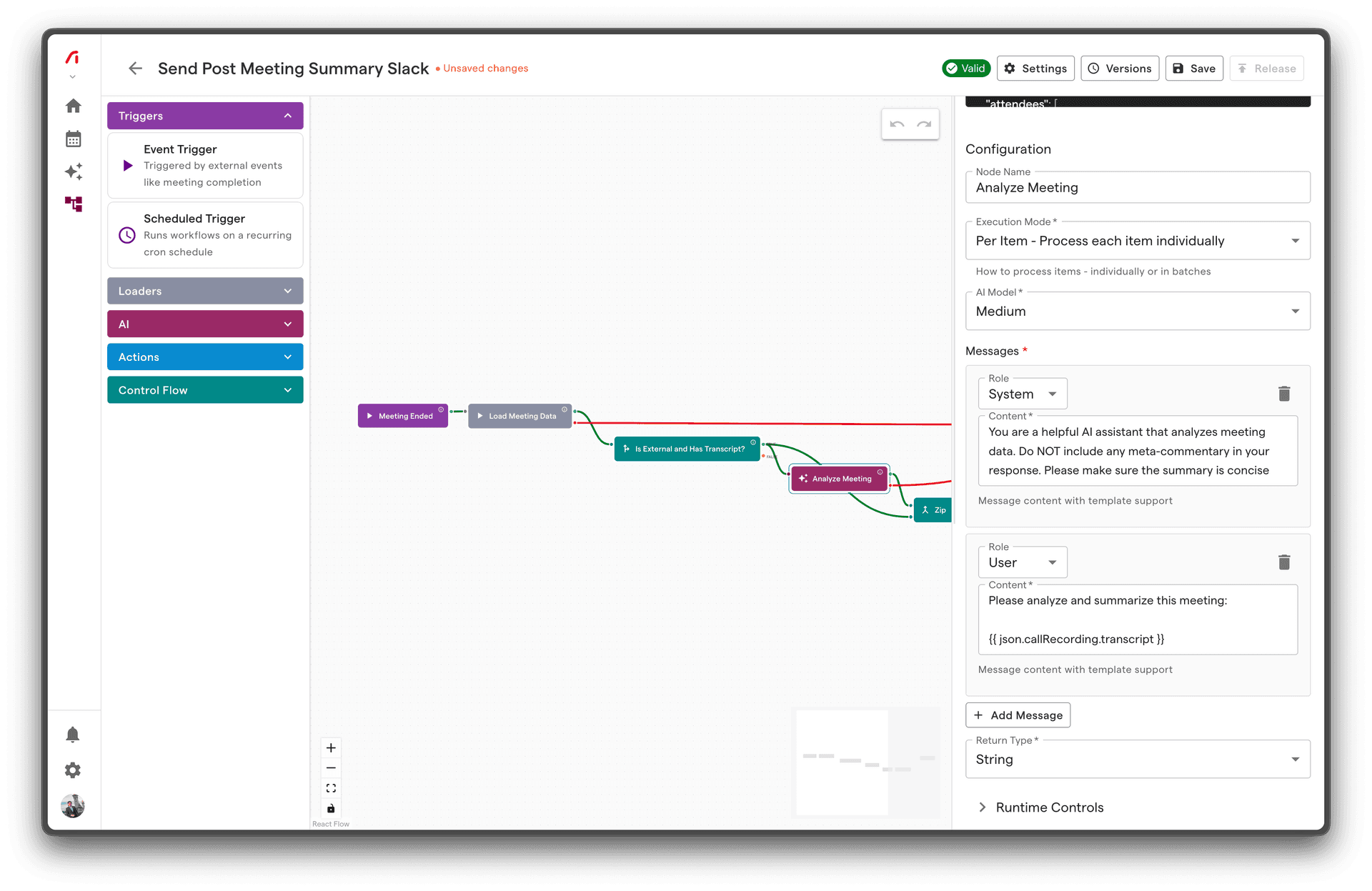
1. Meeting Follow-Up Automation
Problem: After every meeting, sales reps manually send follow-up emails, update CRM records, and create action items.
Solution: A workflow that automatically:
- Triggers when a meeting ends
- Uses AI to summarize the meeting and extract action items
- Sends a personalized follow-up email to attendees
- Creates tasks in your CRM for next steps
2. Deal Stage Updates
Problem: CRM deal stages get stale because reps forget to update them after meetings.
Solution: A workflow that automatically:
- Analyzes meeting content for deal progression signals
- Updates the deal stage in HubSpot or Salesforce
- Notifies the sales manager via Slack when deals advance
3. Pre-Meeting Briefings
Problem: Reps go into meetings without context on previous interactions.
Solution: A workflow that automatically:
- Triggers 24 hours before a meeting
- Gathers relevant context from CRM and previous meetings
- Uses AI to create a briefing document
- Sends the briefing to the rep via Slack
4. Risk Alerts
Problem: At-risk deals go unnoticed until it's too late.
Solution: A workflow that automatically:
- Analyzes meeting sentiment and engagement
- Identifies risk signals (competitor mentions, objections, delays)
- Alerts the manager immediately when risks are detected
Architecture Overview
Agents uses an event-driven, distributed architecture designed for reliability:
Event → Trigger → Workflow Execution → Node Processing → Actions
Components
| Component | Role |
|---|---|
| Event System | Captures events from calendars, meetings, schedules |
| Trigger Matching | Routes events to workflows based on configuration |
| Execution Engine | Manages workflow state and node execution order |
| Node Adapters | Execute specific node types (AI, Slack, CRM, etc.) |
| Retry System | Handles failures with exponential backoff |
| Dead Letter Queue | Captures permanently failed messages for review |
Reliability Features
- At-least-once delivery: Events are guaranteed to trigger workflows
- Automatic retries: Failed nodes retry with exponential backoff
- State persistence: Execution state survives system restarts
- Monitoring: Full visibility into execution history and logs
What You Can Build
| Workflow Type | Complexity | Example |
|---|---|---|
| Simple notifications | Low | Slack alert when meeting ends |
| Data sync | Medium | Update CRM after meeting with AI analysis |
| Multi-step processes | Medium | Follow-up email → Wait 2 days → Check-in reminder |
| Conditional routing | High | Different actions based on meeting outcome |
| Parallel processing | High | Analyze transcript AND update CRM simultaneously |
Limitations
While Agents is powerful, it's designed for specific use cases:
- Sales-focused: Optimized for meeting and CRM workflows
- Event-driven: Best for reactive automations, not continuous processes
- Bounded execution: Individual nodes have timeout limits (30-120 seconds)
- Text-focused AI: AI nodes work with text, not images or audio directly
Next Steps
Now that you understand what Agents does, learn the core concepts: